

Whether you're building a home network, deploying IP surveillance, or upgrading an office LAN, you'll eventually face one question:
Should I use a hub, a switch, or a router?
Although these devices all connect network equipment, they serve completely different purposes. Choosing the wrong one can limit performance, reduce security, and create unnecessary network bottlenecks.
In this guide, we'll explain the differences in plain English—with practical examples instead of technical jargon.
At a Glance
| Device | Primary Function | Best For |
| Hub | Broadcasts data to every device | Legacy networks (rarely used today) |
| Switch | Sends data only to the intended device | Homes, offices, surveillance, enterprise LANs |
| Router | Connects different networks and provides Internet access | Connecting LAN to WAN or multiple networks |
Quick takeaway:
A hub shares, a switch directs, and a router decides the path.
What Is a Hub?
A hub is the most basic networking device.
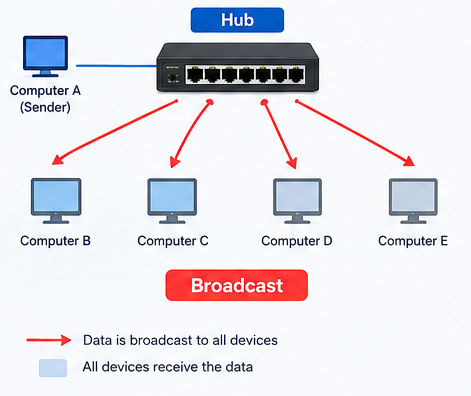
Think of it as a loudspeaker in a room. Whenever one device sends data, the hub repeats that information to every connected device, whether they need it or not.
Instead of broadcasting traffic everywhere, it learns the MAC address of each connected device and remembers which port each device uses.
How it works
If Computer A wants to send data to Computer B, the hub doesn't know which port Computer B is connected to.
Instead, it simply forwards the data to all ports.
Every connected device receives the packet and checks whether it is the intended recipient.
Advantages
■ Low cost
■ Simple to install
■ No configuration required
Limitations
■ Heavy network congestion
■ Shared bandwidth
■ Lower security
■ Poor scalability
Because every device shares the same communication channel, only one transmission can occur at a time.
Today, hubs have almost disappeared from modern networks.
What Is a Switch?
A network switch is much smarter than a hub.
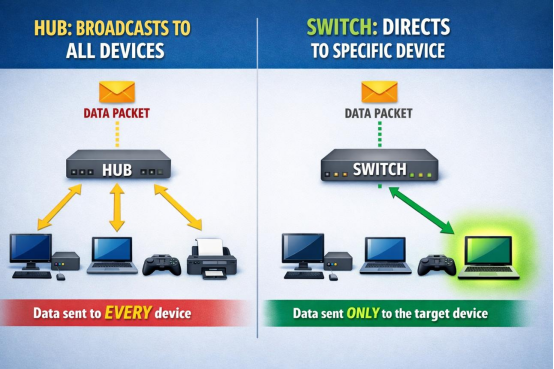
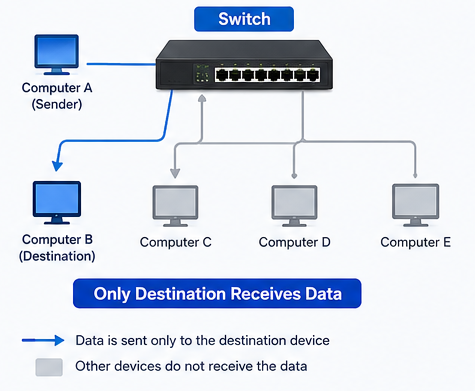
When data arrives, the switch sends it only to the correct destination.
Example
Imagine four PCs connected to a switch.
If PC1 sends data to PC3:
■ PC3 receives the packet.
■ PC2 and PC4 never see the traffic.
■ Other devices can continue communicating simultaneously.
This greatly improves network efficiency.
Benefits
■ Higher throughput
■ Less network congestion
■ Better security
■ Full-duplex communication
■ Dedicated bandwidth per port
■ Suitable for large networks
Modern switches also support features such as:
■ VLAN
■ QoS
■ Link Aggregation
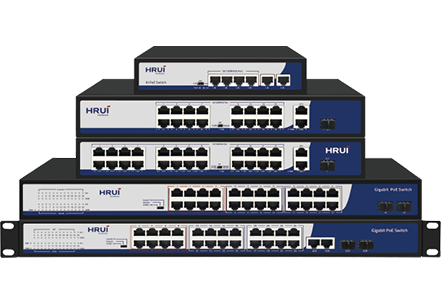
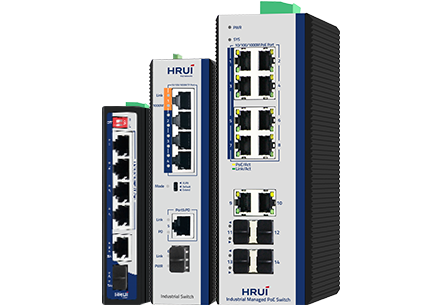
■ PoE
■ Loop Prevention
■ Network Management
These capabilities make switches the foundation of today's Ethernet networks.
What Is a Router?
A router connects different networks.
Its most common job is connecting your local network to the Internet.
Unlike switches, routers work with IP addresses instead of MAC addresses.
Their job is to determine:
■ Where data should go
■ Which path is the fastest
■ Which route is currently available
That's why routers are responsible for moving traffic between different networks.
Many routers also provide:
■ NAT
■ DHCP
■ Firewall protection
■ VPN
■ Wi-Fi
■ Internet sharing
An Easy Way to Remember
Imagine you're trying to deliver a birthday invitation to your friend Emma.
The Hub: Shouting Across the Building
You stand in the lobby and yell:"Emma! I have your invitation!"
Everyone hears you.
Most people ignore the message.
Only Emma responds.
It works—but it's noisy and inefficient.
The Switch: Looking at the Office Directory
You check the office directory.
It tells you exactly where Emma sits.
You walk directly to her desk and hand over the invitation.
No one else is interrupted.
Fast and efficient.
The Router: Traveling to Another City
Now Emma works in another city.
You first decide:
■ Which highway to take
■ Which exit to use
■ Which streets to follow
The router works the same way—it chooses the best route between different networks.
Hub vs Switch vs Router
| Feature | Hub | Switch (Recommended) | Router |
| Primary Function | Broadcasts data to all devices | Forwards data only to the intended device | Connects different networks |
| Typical Use | Legacy networks | Office LANs, IP cameras, Wi-Fi APs, enterprise networks | Internet access & network routing |
| Performance | Low | High | High |
| Traffic Efficiency | Shared bandwidth | Dedicated bandwidth per port | Optimized routing between networks |
| Duplex Mode | Half-duplex only | Auto-negotiation (Half/Full Duplex) | Full Duplex |
| Security | Low | High (traffic isolation) | High |
| Address Used | None | MAC Address | IP Address |
| OSI Layer | Layer 1 | Layer 2 | Layer 3 |
Which Device Should You Choose?
Choose a Hub if...
Almost never.
Because switches have become affordable, hubs are rarely recommended except for very old legacy systems.
Choose a Switch if...
A switch is the right choice if you need to:
■ Connect multiple computers
■ Build an office LAN
■ Deploy IP cameras
■ Expand network ports
■ Connect wireless access points
■ Support PoE devices
■ Improve network performance
For most Ethernet deployments, a switch is the preferred solution.
Choose a Router if...
Use a router when you need to:
■ Connect to the Internet
■ Link multiple LANs
■ Create VPN connections
■ Separate different subnets
■ Manage traffic between networks
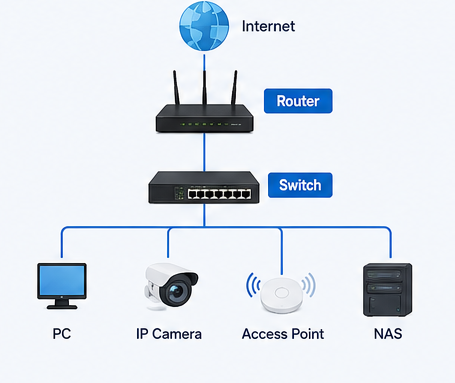
In most environments, a router works together with one or more switches.
Typical network architecture:
Internet
│
Router
│
Switch
├── PC
├── Printer
├── IP Camera
├── Access Point
└── NAS
Frequently Asked Questions
Is a switch better than a hub?
-Yes.
-A switch delivers higher performance, better security, and more efficient bandwidth utilization than a hub.
Can a switch replace a router?
-No.
-A switch delivers higher performance, better security, and more efficient bandwidth utilization than a hub.
Do I need both a router and a switch?
-Yes.In many business networks, yes.
-The router connects your network to the Internet, while the switch expands the number of available Ethernet ports and enables communication between local devices.
Is a PoE switch different from a regular switch?
-A PoE (Power over Ethernet) switch performs the same switching functions as a standard Ethernet switch but also supplies electrical power through Ethernet cables.
-This allows devices such as IP cameras, wireless access points, VoIP phones, and access control terminals to receive both power and data over a single cable, simplifying installation and reducing wiring costs.
Conclusion
Although hubs, switches, and routers all connect network devices, they play very different roles.
■ Hub: broadcasts data to every device.
■ Switch: intelligently forwards data to the correct destination.
■ Router: connects different networks and determines the best path for traffic.
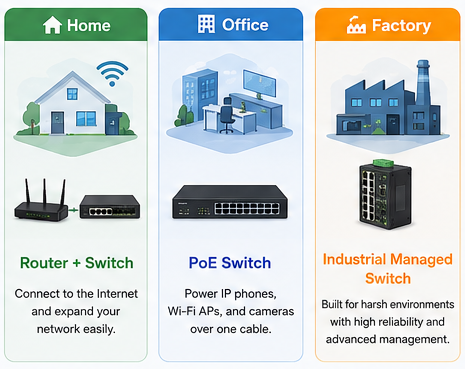
For nearly all modern networks, switches and routers are the essential building blocks, while hubs have largely become obsolete.
Whether you're deploying a small office LAN, an enterprise network, or an IP surveillance system, understanding these differences helps you build a faster, more reliable, and more secure network.