

A PoE switch is the preferred network switch for most IP camera systems. It delivers power and data through one Ethernet cable, simplifying installation and reducing cabling costs.
To choose the right PoE switch for CCTV, focus on five factors: PoE budget, port count, uplink speed, management features, and installation environment.
Calculate the PoE Budget
Check the maximum power consumption of every camera before selecting a switch.
Fixed cameras usually use standard PoE or PoE+. PTZ cameras, infrared cameras, and cameras with heaters may require higher power. Use the camera’s maximum rated power—not only its normal operating power—to calculate the total requirement.
Required PoE budget = total camera power + power reserve
A power reserve helps maintain stable operation when IR lighting, PTZ movement, or additional cameras increase the load.
Select Enough PoE Ports
Choose a switch with enough ports for the current system and future expansion.
■ Up to 8 cameras: 8-port PoE switch
■ 8–16 cameras: 16-port PoE switch
■ 16–24 cameras: 24-port PoE switch
■ Larger projects: multiple PoE switches with fiber uplinks
Selecting spare ports now can reduce upgrade costs later.
Choose the Right Uplink Speed
A Gigabit PoE switch is a practical choice for most modern CCTV systems. It supports high-resolution cameras and provides sufficient bandwidth for small and medium projects.
For larger systems, multiple 4K cameras, or several access switches, choose a switch with Gigabit SFP fiber uplinks or higher-speed uplinks. This helps prevent bottlenecks between the camera network, NVR, and core network.
Fiber uplinks are also suitable for long-distance connections between buildings or outdoor surveillance locations.
Managed or Unmanaged PoE Switch?
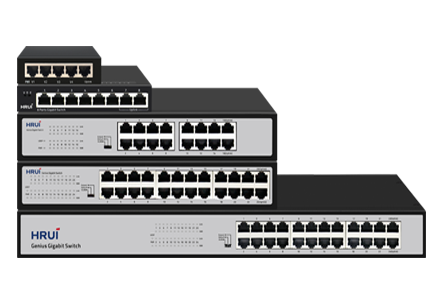
An unmanaged PoE switch is suitable for simple, small-scale CCTV systems. It is easy to deploy and requires no configuration.
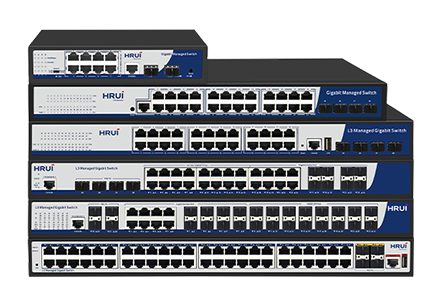
A managed PoE switch is recommended for enterprise surveillance, campuses, smart buildings, and multi-switch networks. Key functions may include:
■ VLAN isolation for separating camera traffic
■ PoE monitoring and remote camera restart
■ Traffic management for improved network control
■ Remote management and fault diagnosis
For professional surveillance systems, managed PoE switching improves visibility and simplifies maintenance.
Match the Switch to the Environment
Commercial PoE switches are suitable for offices, shops, hotels, and indoor camera installations.
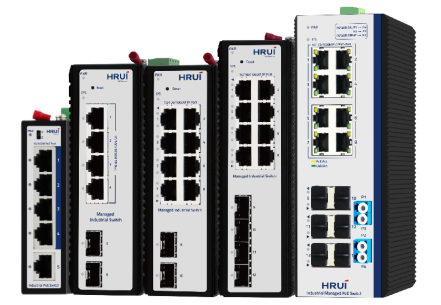
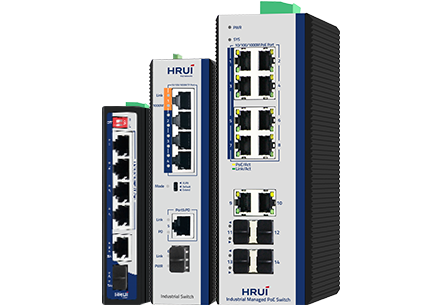
For factories, transportation systems, outdoor cabinets, and other demanding locations, use an industrial PoE switch. Industrial models are designed for harsh environments and typically provide wider operating temperatures, stronger surge protection, and more robust hardware.
Plan for Long-Distance Cameras
Standard Ethernet cable runs are typically limited to 100 meters. For remote cameras in parking areas, warehouses, campuses, or industrial sites, consider:
■ PoE Extend Mode
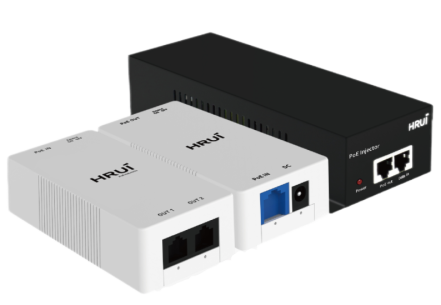
■ PoE extenders
■ Fiber uplinks
■ Industrial PoE switches near the camera location
These options help maintain stable power and network connectivity over longer distances.
HRUI PoE Switches for CCTV Systems
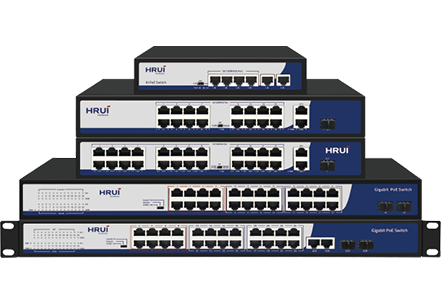
HRUI provides PoE switches for IP camera and surveillance applications, including desktop, rack-mounted, managed, and industrial models.
Depending on the model, HRUI PoE switches offer Gigabit ports, SFP uplinks, PoE priority, VLAN isolation, Extend Mode, and PoE Watchdog. These functions help installers build reliable and scalable CCTV networks for indoor, outdoor, and industrial applications.
Conclusion
The right PoE switch for IP cameras provides enough power, sufficient ports, reliable uplinks, and features suited to the installation environment.
Before purchasing, confirm the PoE budget, camera quantity, uplink requirement, management needs, and transmission distance. This will help ensure stable video transmission and easier long-term maintenance.
Explore HRUI PoE Switches for CCTV and IP camera network solutions.